
Shadow AI often starts with a reasonable work problem. Someone needs to sort customer tickets before a service review, but the approved tool cannot read the export. They paste the file into a personal AI account, get a useful answer, and move on. A manager who discovers it has two jobs: find out what data left company control and preserve the useful work that made the shortcut attractive.
I have spent years leading data and analytics work where the approved path looked sensible on paper and slow on a Tuesday afternoon. A new policy can name a risk. It cannot make an awkward workflow disappear. I would take an unapproved AI use seriously, while also asking what our own tools failed to provide.
The example in this article is fictional. I have not investigated a real customer data exposure for this article, and the steps below are a manager’s working approach, subject to company policy and the security team’s incident process.
What is shadow AI?
Shadow AI is the use of an AI tool, model, account, or integration at work without the organization’s approval or visibility. It can be a personal chatbot receiving company documents. It can also be an unreviewed browser extension, a team subscription, or a script connecting a model to business records. The concern is the use and the data flow, not the product name alone.
The older term shadow IT described technology adopted outside the usual IT process. AI makes the old problem move faster. A worker can start with a browser tab and a pasted paragraph. They may never submit a software request or connect an application to the corporate network. A department can also turn a private experiment into a shared workflow before anyone has tested its output or access.
Calling all of this misconduct misses a useful distinction. An employee who asks a personal tool to improve a generic sentence has created a different risk from one who uploads a list of customers and complaints. Both uses may breach a company rule. The response should still account for the actual data, task, account, and possible effects.
Why the employee took the shortcut
Return to the support-ticket example. The team wants to group urgent cases before an account review. Its approved assistant cannot accept the export format, and the analyst has a deadline. A personal tool accepts the file and produces a list in seconds. The analyst believes they are helping the customer. They may not know what information the service retains, who can access the account, or how the output will be checked.
A blanket warning may stop this person today. It will not fix the queue that needs sorting tomorrow. The manager should ask which part of the task was valuable: grouping by issue, spotting overdue replies, or preparing an owner handoff. Then someone must give the team an approved way to do that specific work, even if the first approved solution is a simple report and a human review.
This is consistent with a lesson in The Data-Driven Executive: governance that people cannot use stays on a document. I argue there for different access paths based on the sensitivity of the data and the work someone is doing. In AI to ROI for Business Leaders, the same discipline appears as a question about adoption: does the product help the user complete the job, and do we measure that behavior rather than a login count?
A shadow AI report arrives: what should the manager do?
Imagine the analyst tells their manager about the upload. The manager should avoid turning the conversation into a guessing game about whether the vendor trains on the data. The immediate facts are narrower: what was sent, where it was sent, what the account can do, and whether anyone relied on its answer. Follow the organization’s reporting path promptly. Security, privacy, and legal specialists decide what investigation or notification the situation requires.
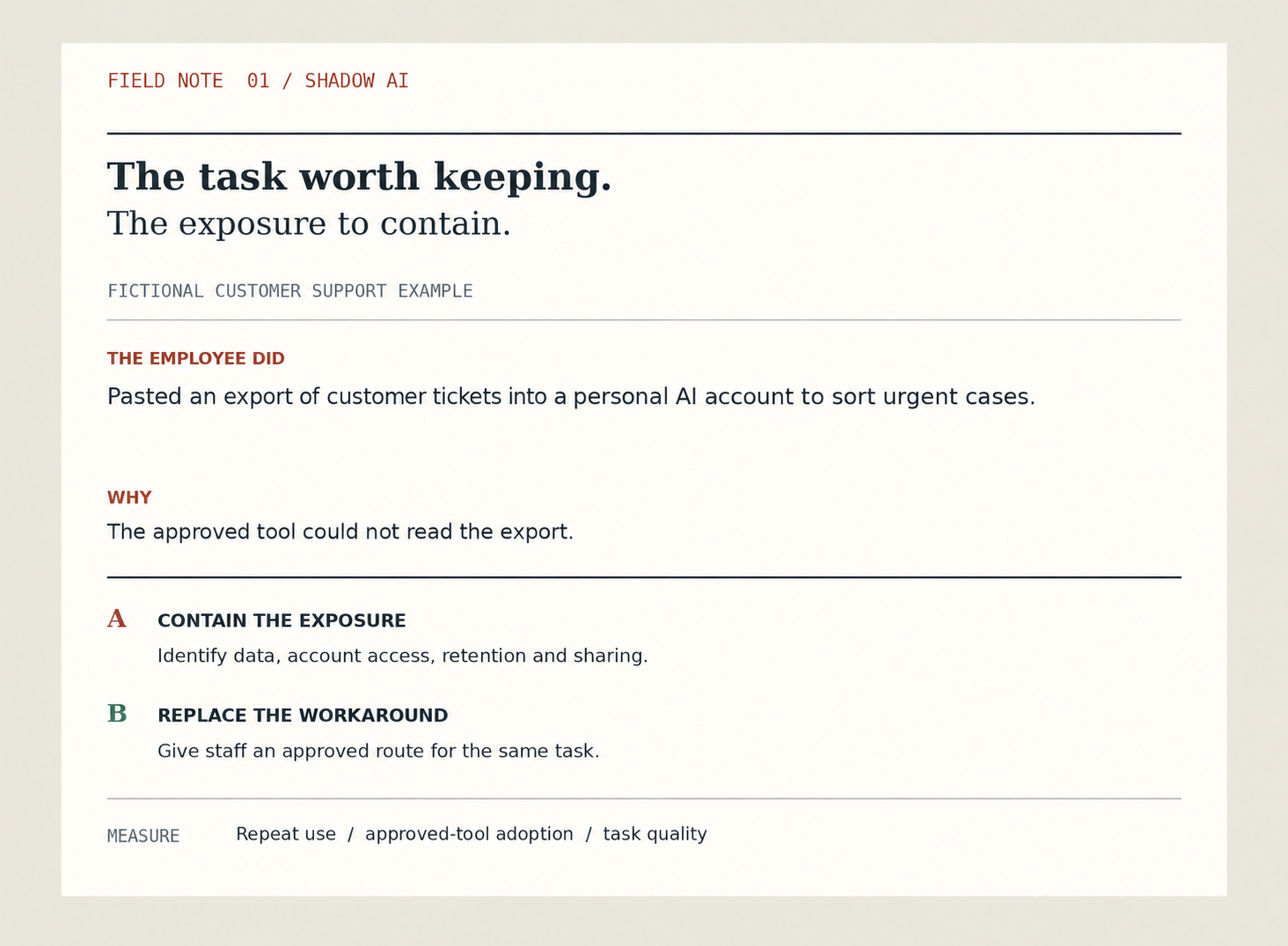
The visual below separates the two lines of work. The exposure needs containment. The useful task needs a safe route, or the workaround is likely to return.
Establish the facts without spreading the data further
Ask the employee for the tool and account used, the time of the upload, the source file, the information it contained, and what they did with the output. Record the facts using the company’s approved incident channel. Do not ask someone to paste the sensitive file into an email or another chatbot to prove what happened.
Identify whether the export held customer names, contact details, complaint text, contract terms, or other restricted information. Find out whether the employee used a personal account, whether the conversation was shared, and what options the organization has for limiting further access. The vendor’s current terms and account settings matter here, so the security team should check the specific service rather than assume that all AI products retain data in the same way.
Finally, find where the output went. Did the analyst merely use it as a draft, or did they alter case priority and contact customers? A flawed summary may create a second problem even if no one else ever sees the uploaded data. Check the underlying tickets before acting on the AI’s grouping.
Classify the task and the data separately
A practical review looks at two axes. One is the task: editing a draft, answering an internal question, recommending a decision, or taking an action in a business system. The other is the information: public, internal, confidential, personal, or otherwise restricted under company rules. The same tool can be acceptable for one combination and unsuitable for another.
| Illustrative activity | What needs review | Likely immediate response |
|---|---|---|
| Rewrite a generic public announcement | Tool approval and accuracy | Point the employee to the approved tool and publishing review. |
| Summarize an internal procedure | Document sensitivity, permissions, and current version | Move the task to an approved environment and check the answer against the source. |
| Upload identifiable customer tickets | Data exposure, account settings, access, and downstream use | Follow the incident process and independently recheck the ticket decisions. |
| Let a connected agent update case priority | Every issue above, plus action authority and audit history | Stop unauthorized writes and have the business owner review affected records. |
These rows illustrate a method, not a company policy or legal classification. Your security and privacy teams should define the actual categories and required actions. An employee also needs a simple way to learn the rule at the moment of work, before uploading a file.
Fix the approved route, not only the rule
After the immediate review, ask the support manager to show the ticket-sorting task from beginning to end. Where does the export come from? Which fields matter? Who checks urgency? What does a good result look like? The first safe replacement may be a saved filter, a small report, or a restricted assistant that reads only approved fields. The team should choose the simplest option that performs the job reliably.
Give employees a fast path to request a tool or propose a use case. State which data they may use during an evaluation, who can grant access, how long a decision normally takes, and whom to contact when the approved tool cannot perform the task. An approval path with no owner or useful response time invites a second shortcut.
That replacement must earn adoption. If the personal tool sorts tickets well and the approved solution produces vague summaries, repeating the policy will not create trust. Test the approved path with real users and permitted test data. Have reviewers compare its output with the original tickets. Improve it when they find a missed urgent case or a false alarm.
There is a tradeoff here. More restrictions can reduce some forms of exposure, while adding steps to everyday work. Fewer restrictions can increase speed while leaving the organization unable to reconstruct a decision. A manager should ask for a control proportionate to the data and action, and then measure whether staff can still complete the work.
What should an acceptable use rule actually say?
People need short instructions they can apply before they paste anything. An effective rule answers four questions: which tools are approved, what information may be entered, which outputs need human checking, and what actions require a named owner’s approval. Include a route for reporting accidental disclosure without inviting employees to conceal a mistake.
Show examples from real tasks. “Customer names and ticket text go only into approved systems” is easier to apply than “use AI responsibly.” A sales team needs guidance about account notes and customer commitments. A data team needs guidance about schema details, sample rows, code, credentials, and production access. The same principle can be translated into examples each team recognizes.
Policies also need a review cycle. Tools change, account settings change, and employees find new uses. Keep an inventory of approved tools and their permitted tasks. Record an owner for each, the data it can receive, the people who can use it, and the date the approval was last checked. A list of logos alone does not tell a manager whether a use is safe.
For systems that can act, permission must live in the application and connected systems. A prompt saying “do not send” is weaker than removing the send action. This is where shadow AI can meet an agent problem: an unapproved connection to a case system can change records, not simply draft text. The enterprise AI agent workflow guide shows how to keep customer commitments with a person.
Measure whether the shadow AI response worked
A declining count of reported uses can mean progress. It can also mean people stopped telling you. Pair incident counts with evidence about the work. Ask whether teams have an approved way to complete the high-value tasks they were doing with personal tools. Track how long a tool request takes, whether the approved route gets repeated use, and whether reviewers trust its answers.
For the ticket example, compare the time to prepare the review, missed urgent tickets, corrected priorities, and time spent checking the result before and after the approved route. Count corrections as part of the cost. Ask staff whether a blocked task has reappeared under a new workaround. If it has, the organization has not solved the problem.
Review a small sample of approved outputs against source records. Check whether access is limited to the assigned account team and whether a decision can be reconstructed. Do not collect employee prompts indiscriminately just to create a metric. Monitoring itself needs a purpose, an access rule, and a retention rule.
My view is that the best result has two parts. The exposure is handled through the right process, and the employee can complete the useful work through a safer route. An organization that addresses only the first part will keep discovering the same need through different tools.
Where this fits in the wider AI plan
Shadow AI is one signal about the distance between an AI strategy and the work people actually do. A team may need better training. It may need a faster review process. It may also have found a valuable use case that the formal plan missed. Leaders need enough curiosity to tell the difference, and enough discipline to act on the exposure.
For the broader control model, read my AI governance framework. For the human side of using an approved tool, see AI change management. AI to ROI for Business Leaders follows the work from use-case selection through adoption and measured value. The Data-Driven Executive examines what leaders must do to make governance usable.
Official resources and further reading
- NIST: AI Risk Management Framework covers AI roles, risks, measurement, and management.
- NIST: Cyber AI Profile workshop reflections discusses the visibility problem, including shadow AI.
- KPMG: Shadow AI is already here discusses employee demand and governance responses.
What is your team trying to do with AI, what data does it need, and where is the approved route falling short?